How do I add a diaeresis with an accent?
Guides & Tips
3Quick Read
To add an accent mark with diaeresis on a computer, there are two ways. The first method is to press 'Shift' + 'W' at the same time, release them (not simultaneously), and then type the vowel you want. The second method is by pressing the right Alt key 'AltGr' + ';' (the key to the right of the L), releasing them, and then typing the letter.

The method of applying Diacritics, Diacritics with Tone, Tone, as well as the Euro symbol and quotation marks is the same in Word, Excel, PowerPoint as in other Microsoft Office products.
Also, the method is the same for both lowercase and uppercase letters.
Refer to the image below for better visual understanding.
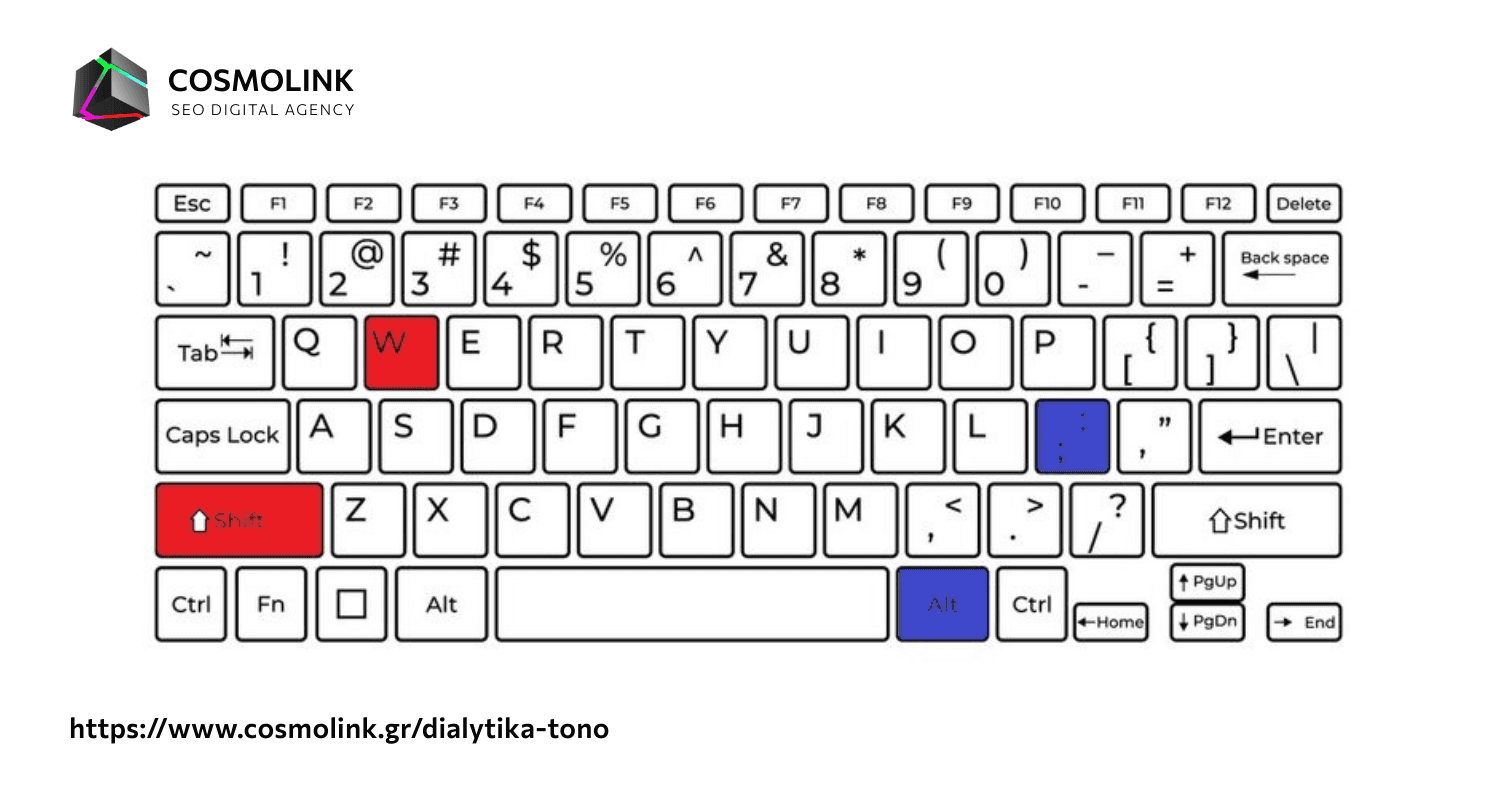
It shows how to apply Diacritics with Tone. In red, there's Method A, and in blue, Method B.
How do I add Diacritics on my Mobile?
To add diacritics with tone or plain diacritics on your Mobile, hold down the vowel you want. Different forms will appear, and you will select the letter with the diacritics you desire.
See the example below for Mobile, whether Android or iPhone.
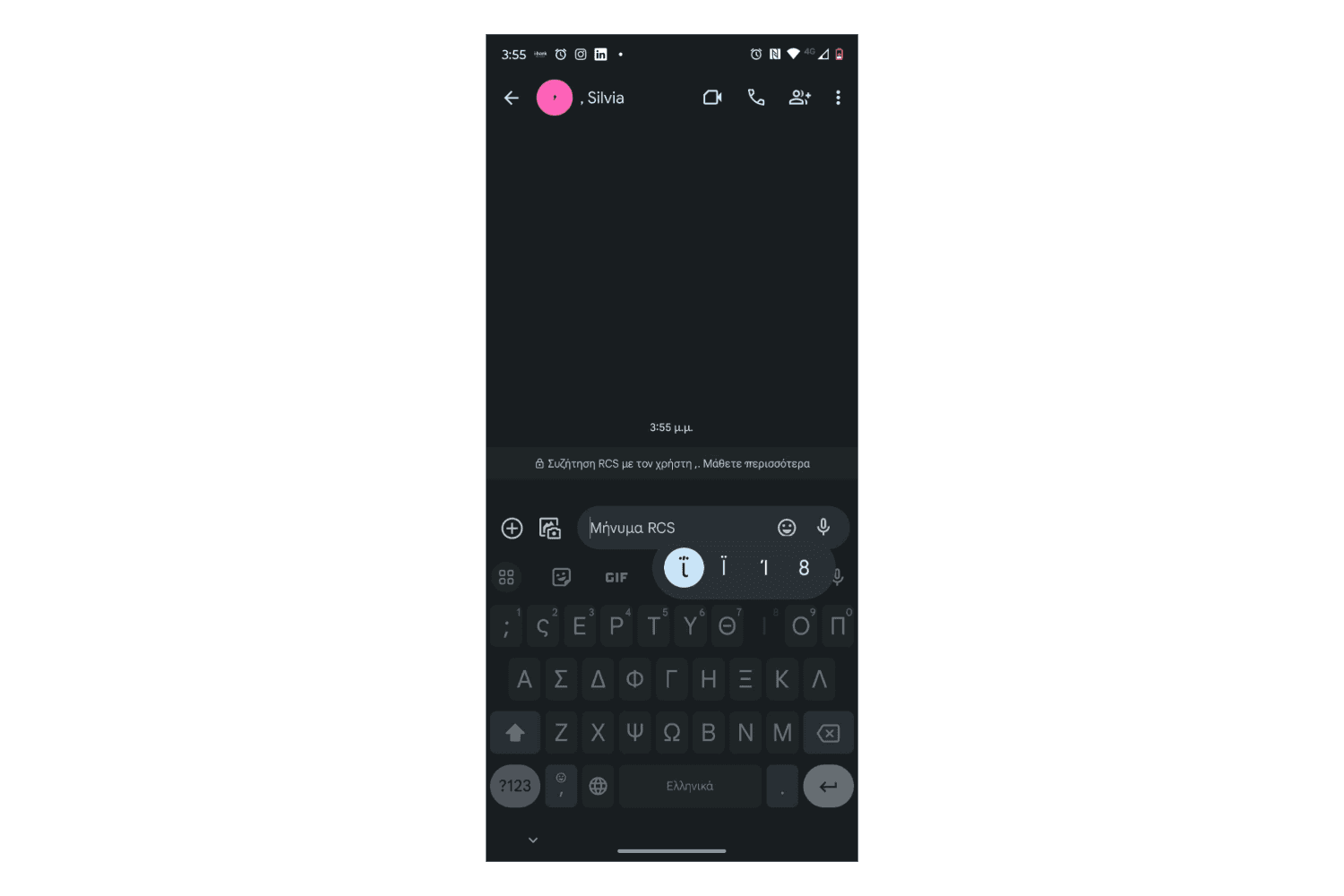
It demonstrates how to add diacritics and diacritics with tone on your Mobile.
How do I add plain Diacritics without Tone?
To add plain diacritics without tone, press "Shift" + ";" and then the vowel you want (ϊ, ϋ).
Look at the example in the image below.
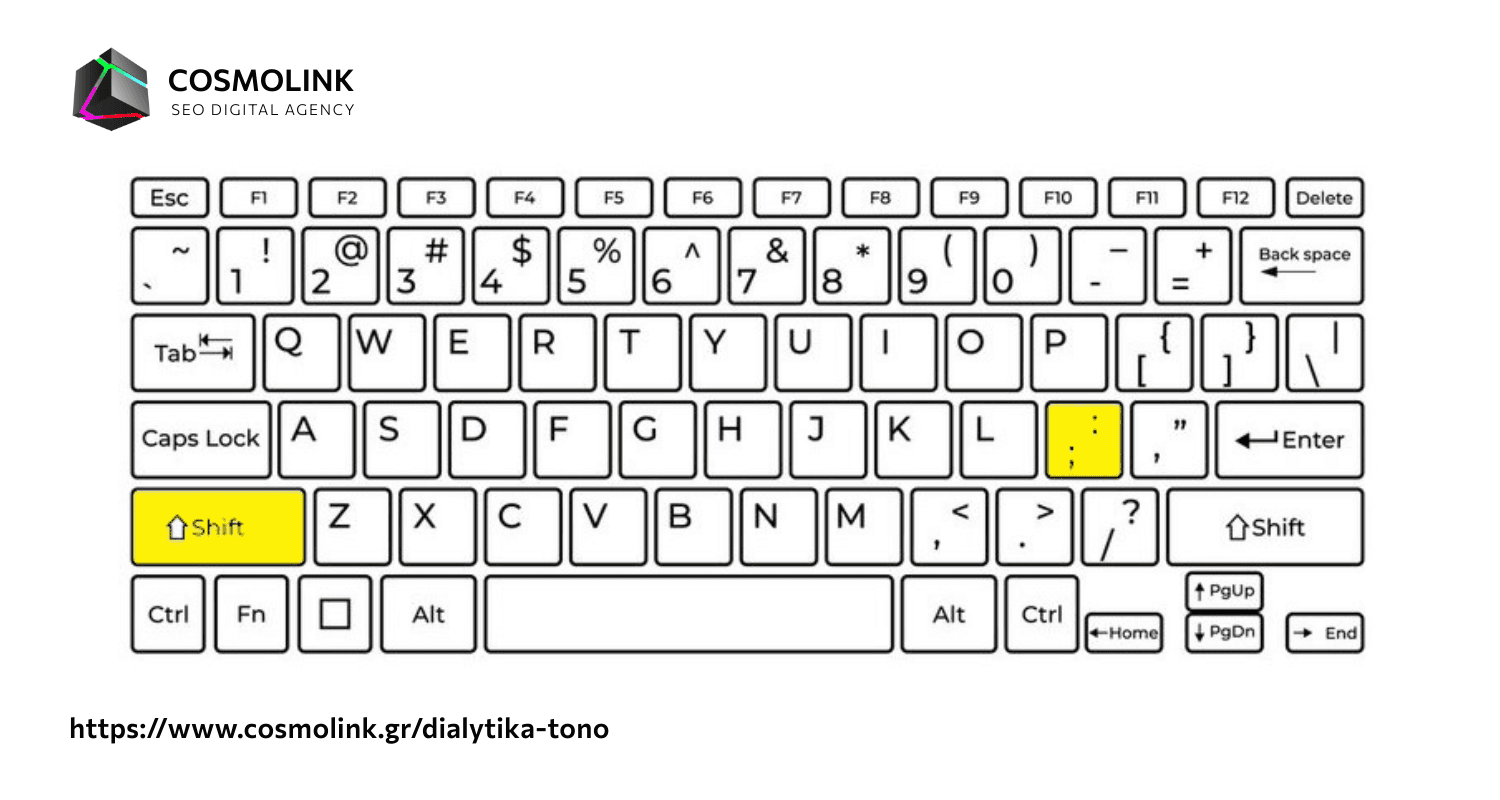
For Diacritics without tone on a Computer, press "Shift" + ";" and then the desired vowel.
How do I place a Tone on a letter?
To place a tone using the keyboard, whether you have a desktop or laptop, press the ";" and then the letter you want.
How do I insert the Euro € symbol?
There are three ways to insert the Euro € symbol on a PC.
For the Greek keyboard (EL)
press "right Alt" (Alt Gr) + "e"
press "Ctrl" + "Alt" together, then "e"
For both English and Greek keyboards (ENG or EL)
pressing the left Alt + 0128
How do I add Greek quotation marks «»?
To add Greek quotation marks or double angle quotations «», there are the two following methods.
press (right alt) Alt Gr + [ for « and Alt Gr + ] for »
press Ctrl + Alt + [ for left « and Ctrl + Alt + ] for right »
How do I insert a middle dot ·?
The middle dot in Windows using the Greek monotonic keyboard EL is inserted by pressing
Alt + 0183
Alt + 0903
and on the Greek polytonic keyboard you press Alt + ⇧ Shift + ].
On Mac OS X and Linux operating systems, press "Alt Gr" + "Q".
How do I insert the symbol for Celsius Degree or Degree or coordinates °?
There are two ways to insert the symbol for Celsius degree, degree, or coordinates.
press (right alt) "Alt Gr" + "0" (zero)
Alt + 0176