The Ultimate Guide: What is Google My Business 2026
SEO
5Quick Read
Google My Business (GMB) is your business profile on Google's online directory and Google Maps. It's a 100% free service for showcasing your company. The goal is for your customers to easily find your Phone Number, Address, Business Hours, Photos, Announcements, Reviews, and the Services you offer.
The Google Business Profile is the No.1 component for successful Local SEO for the following reasons:
It provides all the basic information about your company
Improves your visibility in search results
Boosts trust and reliability with your customers
Provides GPS directions to your business
Helps users call you directly
Offers statistical data and analytics about your audience
Your customers and business can interact instantly
👩⚕️Medical Services and Health Professions (Medical SEO) have the highest traffic rate on Google My Business.
Let's see how to create the perfect listing on Google Maps and what more an SEO company or a Local SEO Consultant can do than you.
💡Only with Google My Business Optimization can you see an increase of up to 140% in your business visits.
How do I create a Google Business Profile?
To create a Google My Business Profile, all you need is a Gmail account. In the dots with all Gmail applications, find the icon labeled Business Profile Manager and open a Google Maps account.
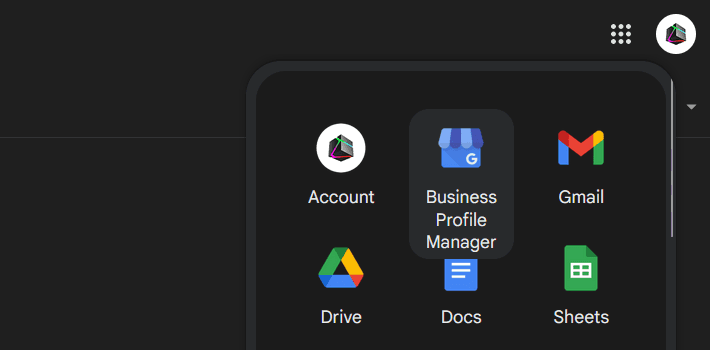
Sign in to your Google My Business Profile on Google Maps
Click on the link below so you don't have to search for where to sign in to Google My Business, and let's see together the steps to set it up perfectly.
Start registering and enter your Business Name. Choose the correct Category, and you can add extra details later.
Enter your business Address. Choose a real, preferably nearby, physical location. (You may offer services and Google gives you the option not to enter an address, but don't do it.)
In the next step, complete your Phone Number and Website.
We've reached verification. Google will send you a Letter (yes, a regular paper letter) that will contain a code. The time for the letter to arrive for verifying your Google Profile is about 2 weeks. Now, business verification can also be done via video.
Finally, fill in all the remaining Fields, such as Services (Select the most popular ones, then add your own), Hours, allow Messages, and add Photos and Videos.
How do I add an Administrator to my Google My Business Profile?
To add an administrator to your Google My Business profile, go to Menu → "Business profile settings" → "People and access". Add the email of the person you wish to make responsible and click
"Invite".
GMB Photo Dimensions
Knowing the dimensions of the Photos will give your Google Profile a consistent appearance that matches your Brand. It will also help you gain more impressions and clicks.
💡SEO TIP: For your Google maps profile, choose eye-catching photos with nice colors.
Logo Dimensions
Ideal Size: 250 x 250 pixels.
Minimum: 120 x 120 pixels
Maximum: 5200 x 5200 pixels
Cover Photo Dimensions
Ideal Size: 1080 x 608 pixels.
Minimum: 480 x 270 pixels
Maximum: 2120 x 1192 pixels
Post Photo Dimensions
Ideal Size: 540 x 405 pixels, with a 4:3 aspect ratio
Video Dimensions
Minimum Duration: 30s
Minimum Resolution: 720p
Maximum File Size: 75 MB
Ranking Factors (SEO) in GMB
The ranking factors on Google My Business are no secret as long as you apply them correctly. It's also noteworthy that the SEO for ranking first in Google Maps is independent of SEO in Google search. This gives you a huge advantage.
Briefly, to achieve maximum performance in GMB, you need to have:
Consistency in all information across different platforms.
Regularly filling out and updating all fields.
Adding quality photos and videos.
Unique content in each of your sub-stores.
Manage and respond to all reviews, whether positive or negative.
Integrating the GBP map on your business's website.
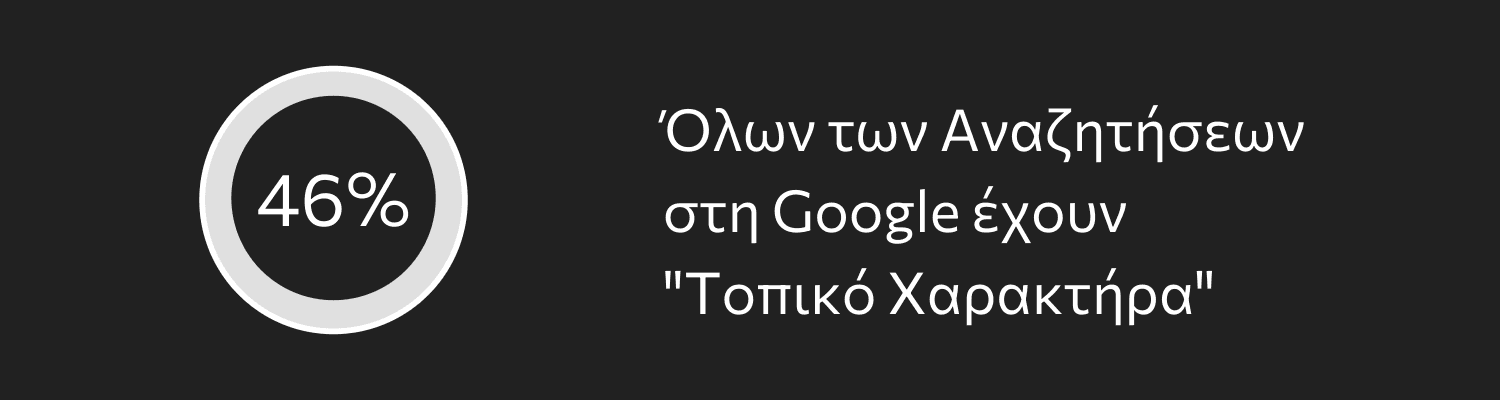
46% of All Searches on Google have a "Local Character"
Consistency 101%
101% consistency between Google Maps, Apple Maps, and local citations will significantly help your GMB profile. Make sure your business has the same Name, Phone number, and Address everywhere.
Fill Out All Fields
When creating the Profile, make sure to fill out all the fields and keep them updated regularly (at least once every six months).
Add Photos and Videos
Don't just add a couple of photos and one video. Try to add new material at regular intervals, at least once a month.
Unique Content in Each Sub-Location
If you have multiple listings in Google My Business for sub-locations, make sure they all have unique content and descriptions.
Respond to All Reviews
For negative reviews, it's obvious you need to respond so that those viewing your profile have a complete picture. Well, respond to the positive ones too; it helps.
Embed the Map on Your Site
On your Google Maps profile, there's a button that says Share.
Click it and embed the map of your store on your Site.
See the Cosmolink map at the end of the article.
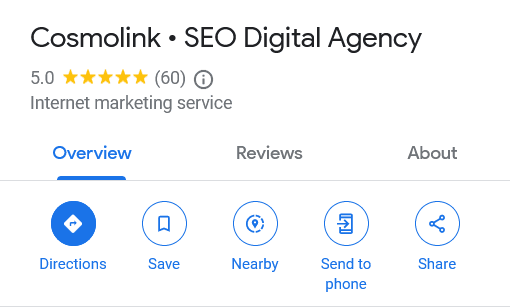
Embed your profile into the Google Map on your Site with Share
How does GMB help your Marketing plan?
Google My Business helps your marketing plan by ensuring that your customer will address the main questions to a great extent, whether you are a service, a large shopping mall, or a local store.
Your company's local visibility increases (Local SEO)
You can target the audience you want
It integrates with other platforms and tools like Google Ads
Google My Business for Hotels
Google My Business for hotels and villas offers even more advantages in a marketing strategy.
Displays your pricing across multiple channels
You can showcase your accommodation's features
Answer all potential questions from your customers
And also keep them updated on changes, such as with COVID-19
Google Maps Reviews
Reviews are the No.1 ranking factor on Google Maps and the No.1 criterion that potential customers look at to choose you.
How to Increase Google Reviews?
The best way to increase your Google Reviews is by obviously providing the best services and asking politely. Excellent customer service will bring you many 5-star reviews.
Another method our customers apply with great success is Cards. Yes, you read it right.
Create a paper card that you give to your customers, writing them a small thank you. Our clients at Cosmolink with hotels who implemented our tactic saw their reviews 2x more than just asking.
How to Delete Negative Reviews on Google?
To delete a Negative Review on Google, go to the reviews, find the Negative Review, and click the 3 dots on the right (see the image). Then click "Flag as inappropriate". Google will evaluate your request and might remove it if it doesn't comply with their guidelines.
If you're looking for another way, there isn't one.
If you cannot remove the negative review Respond.
Always in a nice way.
If it wasn't your fault, those who read the review and your response will understand.
After try to increase Positive Reviews, to balance the negative rating.
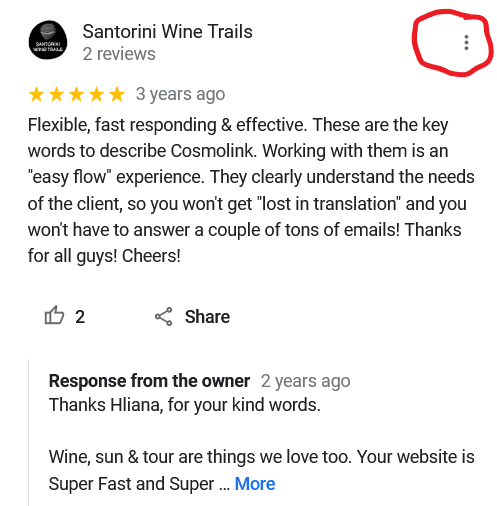
Review on Cosmolink by Santoriniwinetrails business
Fake Reviews on Google, How Do I Deal with Them?
If you're dealing with fake reviews, try to delete them as you did with Negative ones. In most cases, it's quite difficult because you know they're fake but Google does not.
So again, the only solution is to add plenty of Positive ones as in the previous case.
Should I Buy Reviews for My Google Profile?
No, it's best not to buy reviews for your Google profile. Companies that sell such services use spam profiles that consequently register your business as spam in the eyes of Google.
In the end, instead of achieving something good, it will backfire on you, so be careful.
Why Choose an SEO Expert for GMB?
This question is asked by many people, often with a skeptical tone.
I don't need an SEO Expert to set up a Google My Business.
Piece of cake!
After reading the above, I'll tell you 3 secrets that someone specializing in Local SEO does; if you can do them, then yes, it's a piece of cake!
Finds the Gap in the Market
Finding out where your business stands on Google Maps and consequently finding the gap in the Market is not done off the top of our heads! There are paid tools that check this and are used by SEO experts.
SEO for Photos and Videos
Optimizing Photos and Videos for search engines is a critical factor for having maximum business exposure.
SEO for Photos and Videos is separate from Google Maps and contributes additively to your business's Traffic.
Chooses the Right Keywords
After finding the gap, chooses the keywords that will have the most positive impact on your business to win the 3-pack.
Once you're in the 3-pack, over time, increases the reviews and re-evaluates the keywords for more challenging ones each time to reach the top.
At Cosmolink, we've achieved this for ourselves and for many of our clients.
Google My Business Statistics
Below you'll read the most important statistics about Google My Business and why you need to take it seriously.
If you want specialized and measurable results, send us your request.
86% of consumers use Google's Maps to find a business near them
76% of people who search for something near them via mobile phone visit a related business within a day, and 28% of those searches lead to a purchase
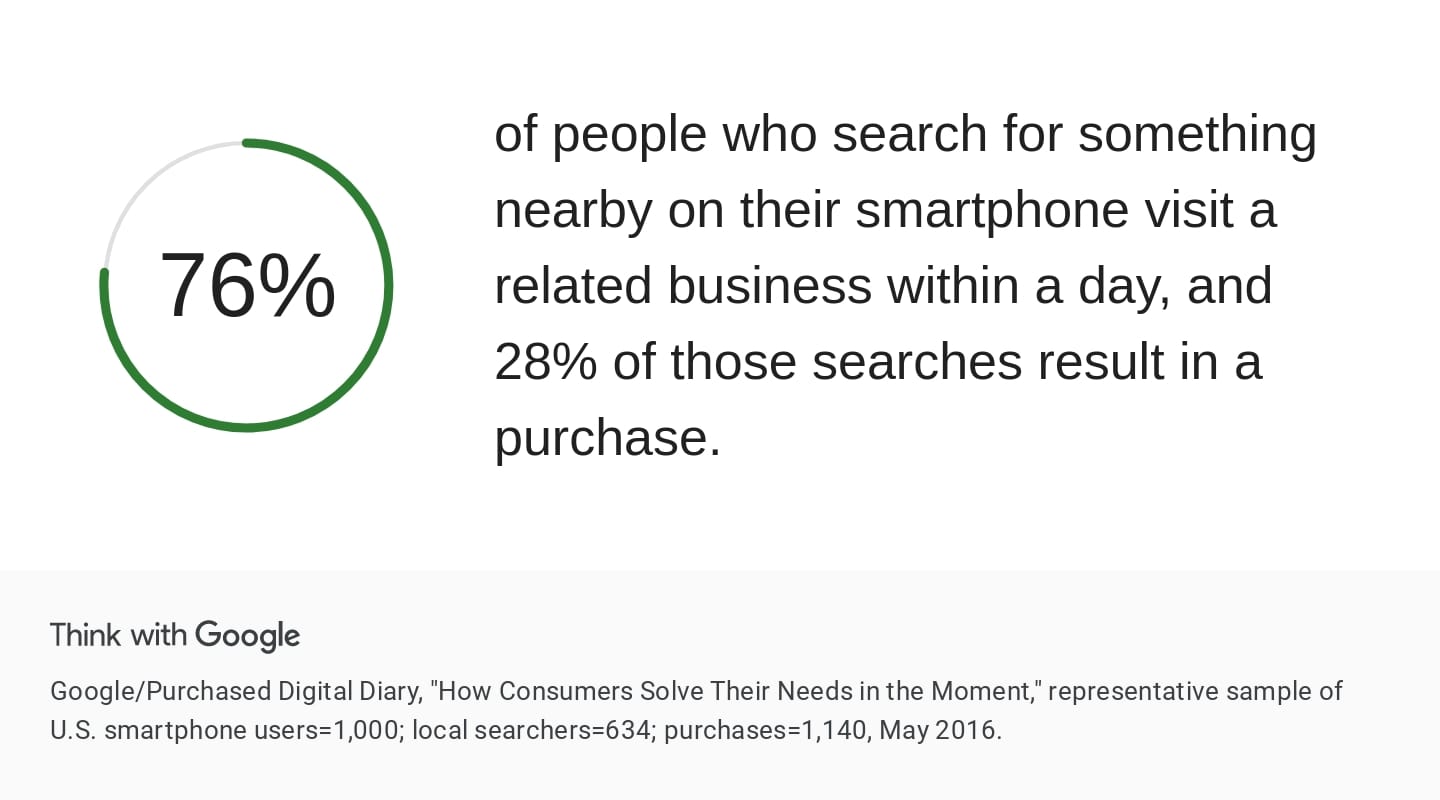
Official Google source for local searches and their impact on smartphone users' consumer behavior.
82% of consumers read your business reviews
A complete GBP profile gets up to 7x more clicks
Frequently Asked Questions about GMB
How do I delete my business on Google?
There are 2 ways to delete your business on Google.
a) Go to your Google profile → Select the "Hours of operation" tab → Click "Permanently closed" and Save.
b) Go to your Google profile → Select "Settings" → Click "Delete Account".
How do I delete photos from Google My Business?
There are two cases to delete photos from Google My Business. There are the images you uploaded and those uploaded by customers. Let's review them separately.
Deleting my own photos from GMB
To delete your photos from your Company's Google Profile, go to the location of the photo.
Click on the Photo
Then click "By Owner"
In the upper right, there are two icons 👍 and a 🗑️
Click the trash can, and voilà, your photo is deleted.
Deleting photos on GMB from a customer
To delete photos on your GMB profile from a customer, find the photo you don't want.
Click on the Photo
In the upper right, it says "Report a Problem"
Select the type of violation the image falls under
Click Report
Why isn't my review showing on GMB?
If your review isn't showing on your business profile in Google My Business, the most common reasons are:
Is it compliant with Google's terms of service?
Make sure you are logged into your Account!
Just wait as it may be under review.
Why isn't my business appearing on Google Maps?
If your business doesn't appear on Google Maps, the most common reasons are the following:
Your profile isn't verified
It's verified but needs time to appear (usually 4-5 days)
Its operation has been suspended for not complying with Google's rules
You're searching for your profile from too far away (rare case)
Google may have "removed" you if there are many businesses at the same address